
This is part 2 of five on how my CMS works. Part 1 covered the architecture. This one follows a single press of the Publish button.
Why GitHub sits in the middle
My spec had the CMS writing pages straight into the blog folders on my server. It would have worked. I changed it before we built it, for three reasons.
First, my sites already deploy from GitHub. FlyWP watches each site's repository and redeploys when something is pushed. If the CMS pushes too, the blog gets the same path to the live site as every other change.
Second, history. Every publish becomes a commit. If a build ever produces something wrong, I can see exactly which files changed and when, and roll back with git.
Third, the CMS container needs no access to the folders the public sites live in. It holds a GitHub token for four repositories and nothing on the web server's disk.
Step 1: build the whole site, every time
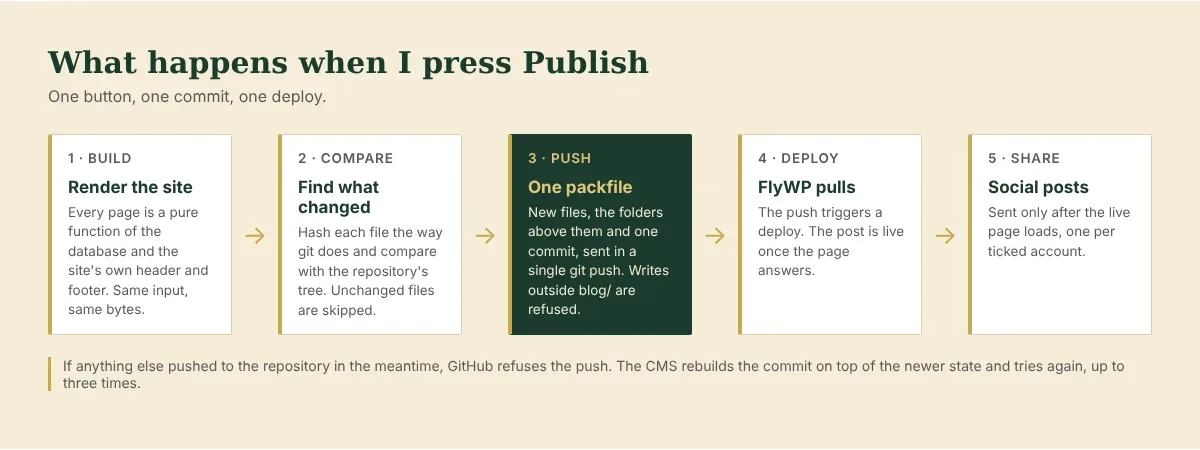
When I publish, the CMS rebuilds every file in that site's blog: each post, the blog home page, category and tag pages, the RSS feed and the sitemap.
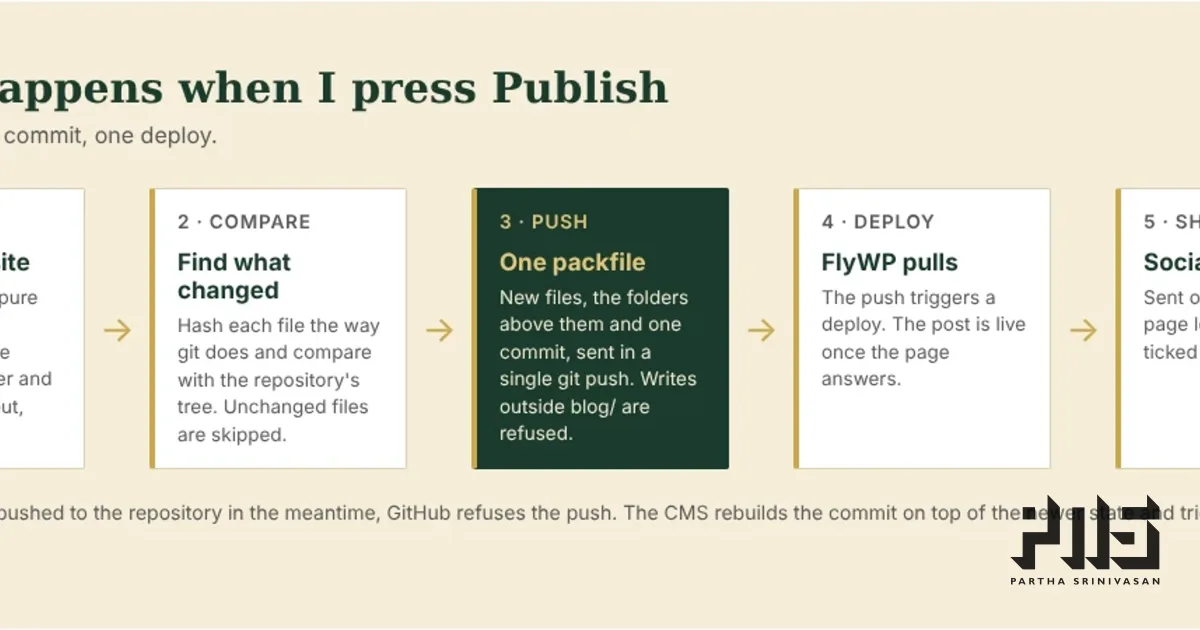
Rebuilding everything sounds wasteful. It is cheap in practice, because the build is a pure function. Given the same database and the same header and footer, it produces exactly the same bytes. So a full rebuild only ever changes the files that should change. A new post changes its own page, the home page, its category and tag pages, the feed and the sitemap. Every other page comes out identical and gets skipped in the next step.
This also means I never have to work out which pages a change affects. Renaming a category, editing an old post or changing the site menu all go through the same path.
Step 2: find what changed, the way git does
Git identifies a file by a hash of its contents. The CMS computes that same hash for every file it just built, then asks GitHub for the repository's current file list with their hashes. Where the two match, the file is unchanged. What is left is the real change set: usually a handful of files.
Step 3: one push, and why the API was too slow
The first version used GitHub's contents API: one request per file. That is fine for a single post. It falls apart for the first build of an old blog: a few hundred posts, each with images in several sizes, adds up to thousands of files. GitHub limits how many content-creating requests an account can make, to roughly 500 an hour. At that pace a first build takes hours.
So the CMS now speaks git's own protocol. On the second day of the build I asked Claude to replace the API calls, and the replacement does what the git command line does:
builds the new files as git objects
builds the folders on the path to them, reusing every unchanged folder by its existing hash
writes one commit on top of the current one
packs all of that into one packfile and sends it in a single push over HTTPS
A publish of one post is now one push, and so is a first build of a thousand. Identical files, such as the same image used twice, are packed once.
The push names the commit it expects the branch to be on. If anything else pushed to the repository in the meantime (me, editing the main site by hand), GitHub refuses it. The CMS then rebuilds the commit on top of the newer state and tries again, up to three times. Nobody's work gets overwritten.
The one folder it may touch
Each site repository holds the whole website. The CMS owns exactly one folder in it: blog/, or content/blog/ for Only Biker Stuff. Everything else, the home page, the about page, the stylesheet, is mine and edited by hand.
That rule is enforced in code. Every path in every commit passes through one function, assertBlogPath, before anything is sent. A path outside the publish folder stops the whole publish with an error. Writing that function took a few minutes. It means a bug anywhere else in the build cannot damage the rest of a site, and neither can a mistake by the AI that wrote the code.
Step 4: FlyWP deploys
The push lands on GitHub, and FlyWP deploys the site. For a static site that means pulling the repository and serving the new files through Nginx. The post is live once that finishes.
Until a site is launched, every page it builds carries a noindex tag, and its sitemap is empty. I could build my whole archive at parthans.com/blog, read every post, and fix what was broken without the copy competing with the old blog in search.
Step 5: social posts, after the page answers
LinkedIn and X read a page when you share it, to build the preview card. If they read it before the deploy finishes, they get an error page and the preview is broken for good.
So social posts sit in a queue. Every minute the CMS checks whether the post's address answers. Only then does it post, once to each account I ticked, each with its own text. If the page still is not live after two hours, it gives up, marks those social posts as failed with a Retry button, and emails me, instead of posting a broken link. While it waits, the post shows what the last check saw: "not found", a Cloudflare challenge, or no connection at all.
There is one exception. If the server cannot connect to the site at all, the CMS looks the address up again through public DNS. If that fails too, it posts ten minutes after publishing and marks each post "sent without a page check". A page that answers "not found" still blocks everything. I added that exception after the check left one of my posts stuck for most of a day. Part 5 has the whole story, including the two wrong explanations along the way.
One site that wants Markdown
Only Biker Stuff runs its own web app, which renders Markdown files from content/blog/. For that site the build step converts each post to clean Markdown with front matter and writes those instead of HTML. Everything after that, the change detection, the single push and the folder rule, is identical. Adding the site did not change the publishing pipeline at all.
What I would tell someone building the same thing
Make the build deterministic. Every other part gets simpler.
Put a hard boundary in code around what the tool may write, and test it.
Assume the deploy takes longer than you think, and do not let anything downstream fire until the page answers.
Next, part 3: locking down an admin that only a handful of people should ever reach.