
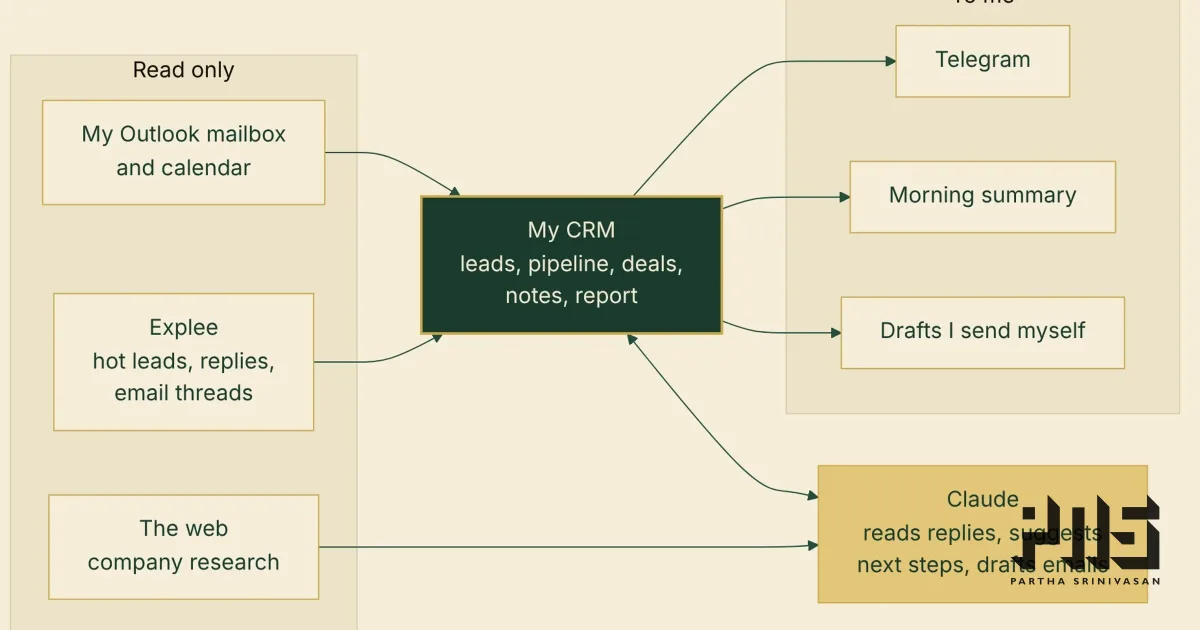
I find clients through cold outreach. The outreach runs on Explee, which writes and sends the emails and tells me which replies look interested. Until this week, those "hot leads" went into a Google Sheet, pulled in every few minutes by an Apps Script, and I kept my notes and next steps in the columns beside them.
That worked until I moved the replies. Leads used to answer inside Explee. Now they answer to my own mailbox, because I want to own those conversations. The sheet could not see my mailbox, so half of every conversation was somewhere else.
So I built my own CRM. It runs at a private address on my own server, the same way as my CMS, and it took two days: the first commit was on 27 October, and this post was written on the 28th.
I built it with Claude, Anthropic's AI model, working in Claude Code. I set the requirements, made the calls and tested it. Claude wrote the code and the tests. Where something went wrong, I say so below.
What it does
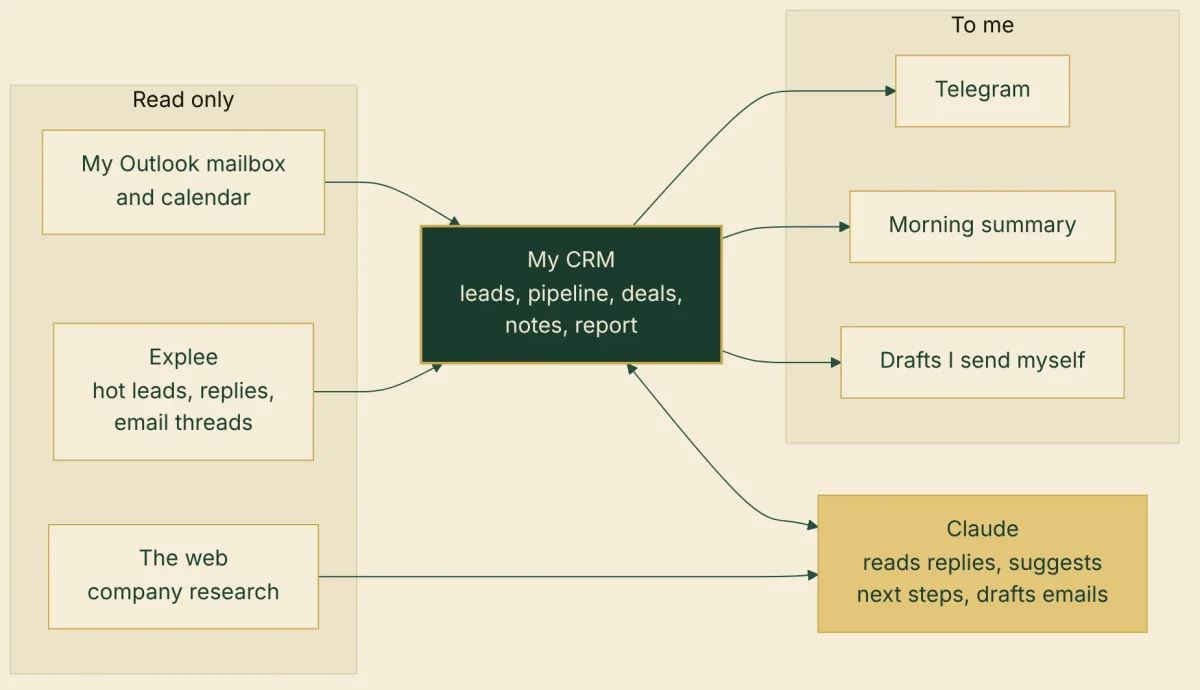
Every 10 minutes it fetches new hot leads from every Explee project. Each business I run outreach for keeps its own leads, so I can look at one at a time.
It keeps each lead's whole email chain: Explee's thread, plus every email with them in my Microsoft 365 mailbox, both ways.
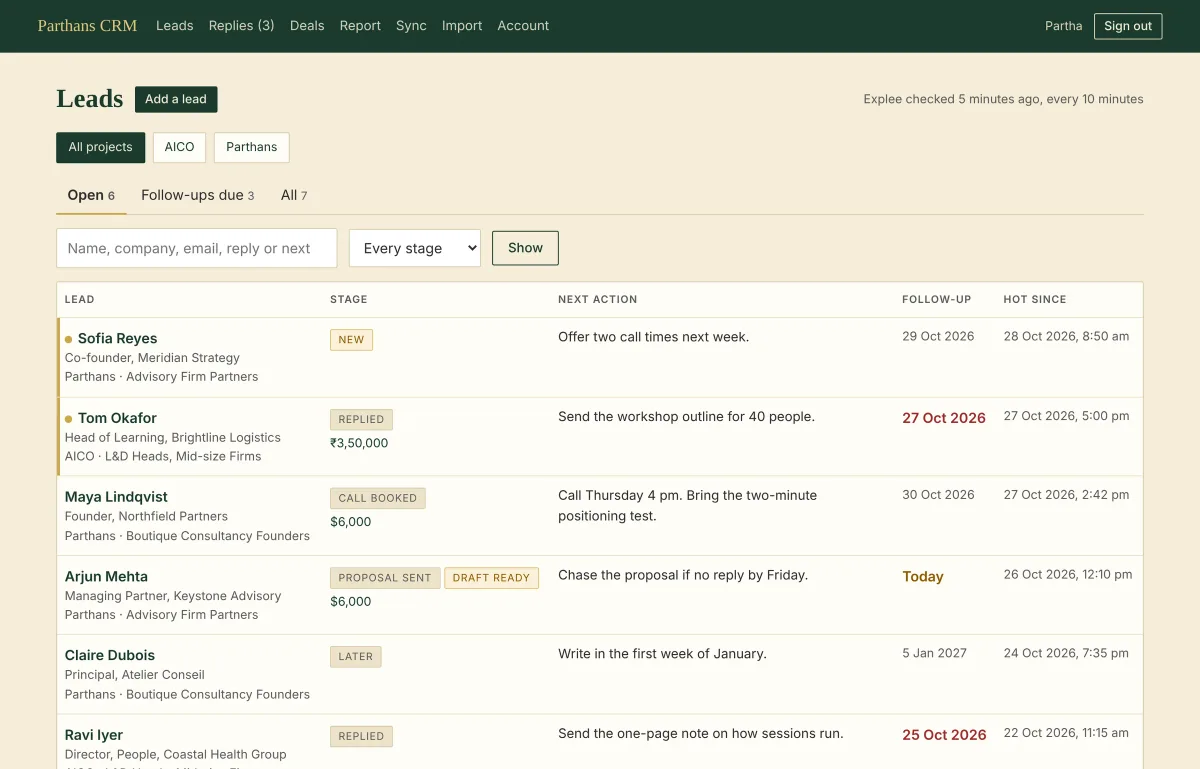
For each lead I keep a stage, a next action, a follow-up date, notes and deals with their value.
Meetings with leads come from my Outlook calendar. A call booked with a new lead moves them to "Call booked" on its own, with a note saying why.
A morning summary lists what is overdue, due today, meeting today, or new.
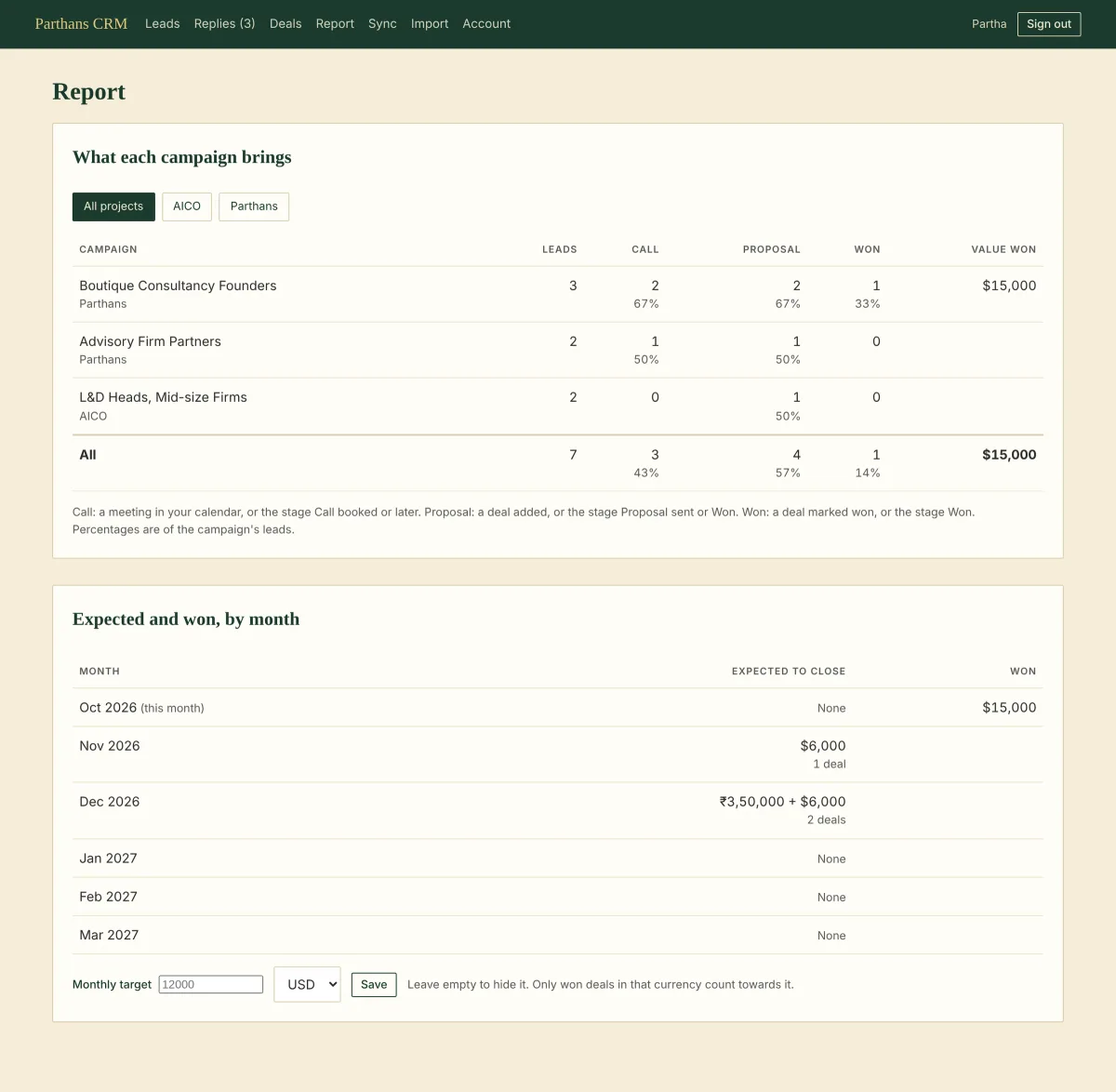
A report shows what each campaign brings in and what is expected to close each month. Deals keep their own currency: the CRM never converts, and totals are shown per currency.
The sheet's history came across in one import, so nothing started from zero.
It reads everything and writes nothing
The rule that shaped the rest: the CRM only reads. It never writes to Explee. Its access to my mailbox and calendar is read-only, and only to mine. It keeps only emails that involve a lead; for anything else it looks at the addresses and never fetches the text.
The same rule applies inside the CRM. My stage, next action, follow-up date and notes are mine. No sync and no AI changes them. There are exactly two automatic stage changes, and I agreed to both: a booked meeting moves a lead to "Call booked", and marking a deal won moves the lead to "Won".
That rule got tested on the second day. I asked for follow-up emails to be drafted on their due date and placed in my Outlook Drafts folder. Microsoft has no permission that covers drafts alone. To create a draft, the app needs permission to change any mail in the mailbox, including deleting it. My code would only ever create drafts, but the permission would allow far more.
I chose to keep the mailbox read-only. Drafts stay in the CRM instead. Each one has an "Open in Outlook" button that opens Outlook on the web with the address, subject and text already filled in. I read it, change what I want, and send it myself.
The lead that was missing
Early on I noticed someone missing. A person I knew had replied was not in the CRM.
The reason was simple. Explee only sends across the replies it judges interested. This person had written "Maybe ...", and Explee had labelled it "not interested".
So I had Claude read all 108 people who had replied to my campaigns, not only the hot ones. Three replies labelled "not interested" were open doors: the "Maybe", one person who said my note was useful and that they were revisiting their positioning, and one who said they would take a look. A fourth reply had been marked hot by Explee but never reached my sheet at all.
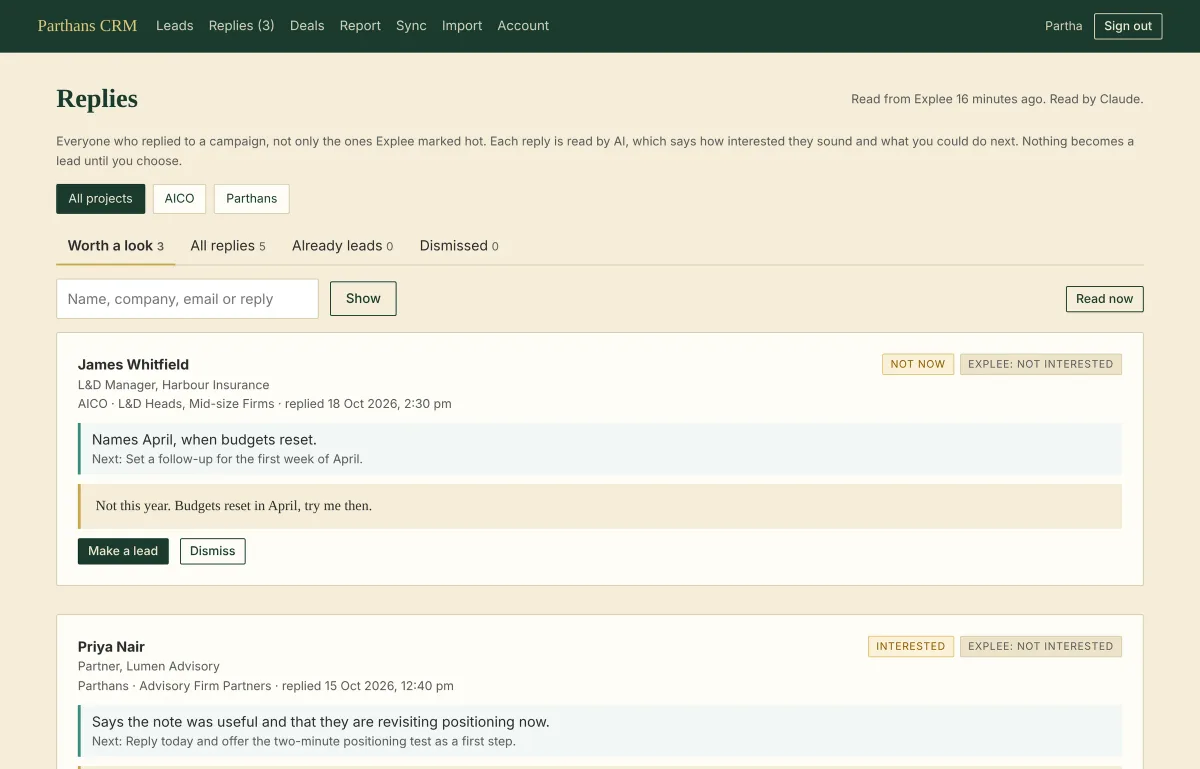
The CRM now has a Replies page with everyone who replied. Each conversation is read by AI, which gives a verdict (interested, maybe, not now, a question, no, out of office), the reason in their own words, and a suggested next step. Explee's label sits next to it, so I can see where the two disagree. Nothing becomes a lead until I press "Make a lead".
AI that suggests, and never acts
The AI parts all follow the same pattern: they read and suggest, and I decide.
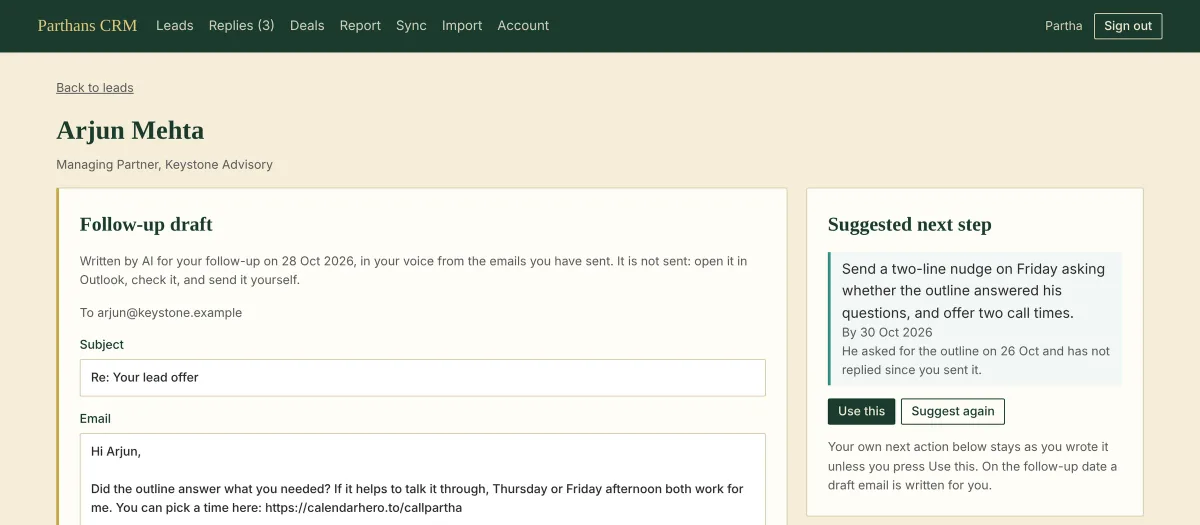
A suggested next step for each lead. The AI reads the conversation, my notes, deals and meetings, and proposes one concrete next step with a date. It sits beside my own next action. If I like it, I press "Use this". If I don't, mine stays as it is.
A draft on the follow-up date. When a follow-up falls due, the CRM writes the email for me. It learns my voice from emails I have sent, and it follows my writing rules: no em or en dashes, a list of banned words, no filler transitions. Instructions are not guarantees, so the code checks every draft. A draft that uses a banned word goes back to be written again, and any dashes left are taken out.
A brief on each company. The AI reads the lead's record first and notes what is unclear: what exactly they sell, how big they are, who decides, what they meant by "after the quarter". Then it searches the web to answer those questions, starting with the company's own site and LinkedIn. The brief says what it found, what it could not find, and where it looked. Anything still unknown is listed as a question worth asking the person.
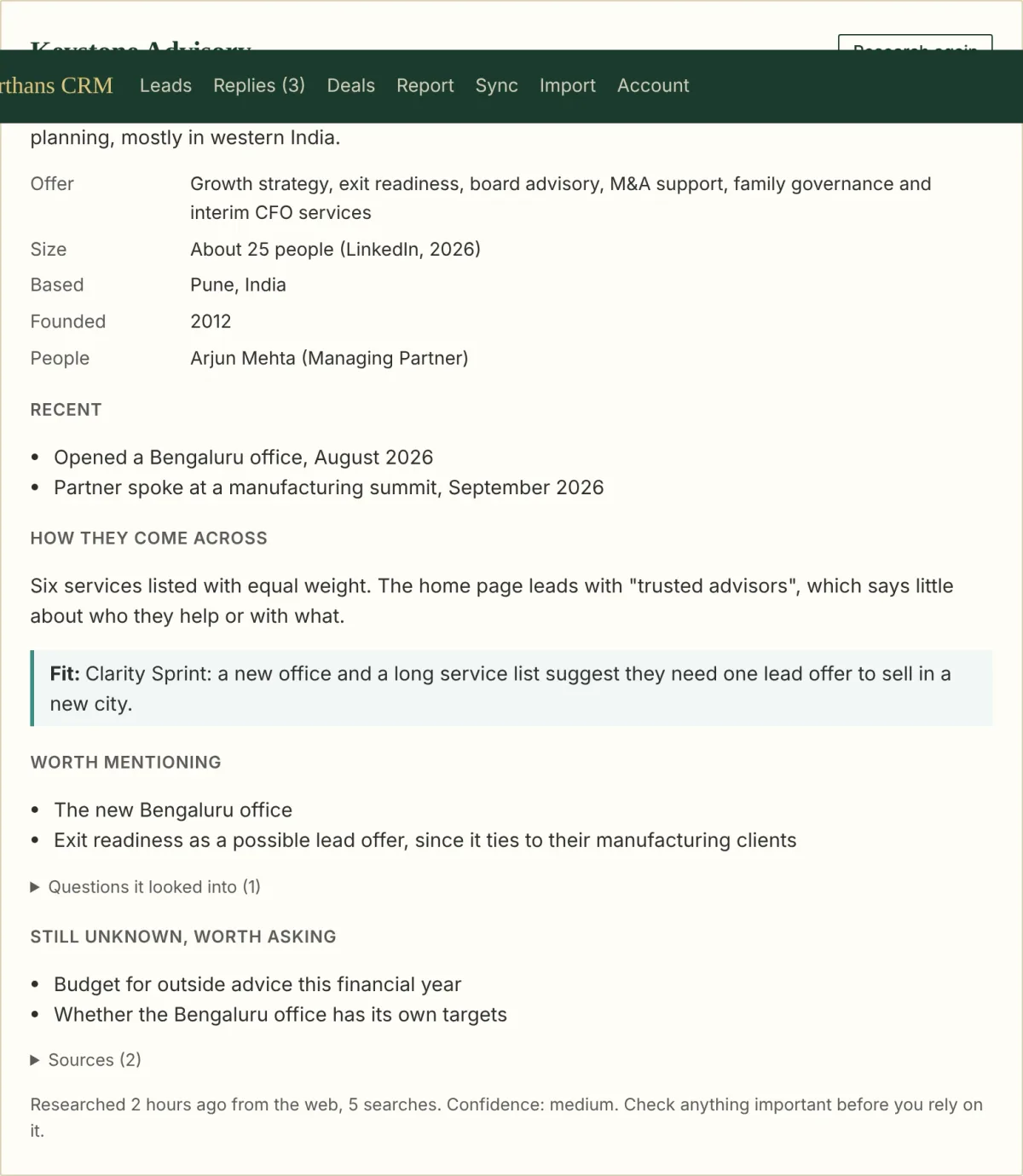
Web pages are written by strangers, so the brief is treated as background. It is shown to me and used as context for the suggestions. Nothing in it can make the CRM do anything.
Updates on my phone
I use Telegram a lot now, so the CRM sends its updates there: a new hot lead, a lead replying, a reply worth a look, a meeting booked, a draft ready (with the full text, so I can read it on my phone), a new company brief, and the morning summary.
It only sends. I link my chat once by sending a one-time code to my own bot, and only the chat that sends that code is linked. The CRM never acts on anything I write to the bot.
What went wrong
The Microsoft connection, twice. Connecting my mailbox needs an app registered with Microsoft and a "client secret". Microsoft shows two values for a secret, an ID and the secret itself, and I pasted the ID. The error message was clear enough once I read it.
The second problem was ours. The "Connect" button opened a fresh sign-in page instead of Microsoft's. The CRM's sign-in cookie is deliberately strict, and the way the button was built meant the cookie was not sent with that request. Claude rebuilt the button so it runs inside my signed-in session, and it worked first time after that.
Dates. On the second morning I saw that some emails showed the day they were imported as the day they were sent, which put conversations in the wrong order. Explee does not publish every field name in its messages, and the CRM had picked up a "created" time ahead of the "sent" time. The fix reads the sent and received times first, and dates every stored email again from the original data.
By the numbers
First commit: 27 October 2026
11 commits, each one a change I asked for and checked
About 7,000 lines of JavaScript
Six packages, on purpose: every package added is one more thing to keep current
64 automated tests, run with stand-ins for Explee, Microsoft, Claude and Telegram, so they check what is sent where without spending money or messaging my phone
The screenshots come from a test copy filled with invented leads, companies and replies. No real lead data goes into the code, the tests or this post.
The AI parts went live on the day I wrote this. A CRM is only as good as the follow-ups it gets me to send, so the real test is the next few weeks of my pipeline. I will write up what holds and what I change.