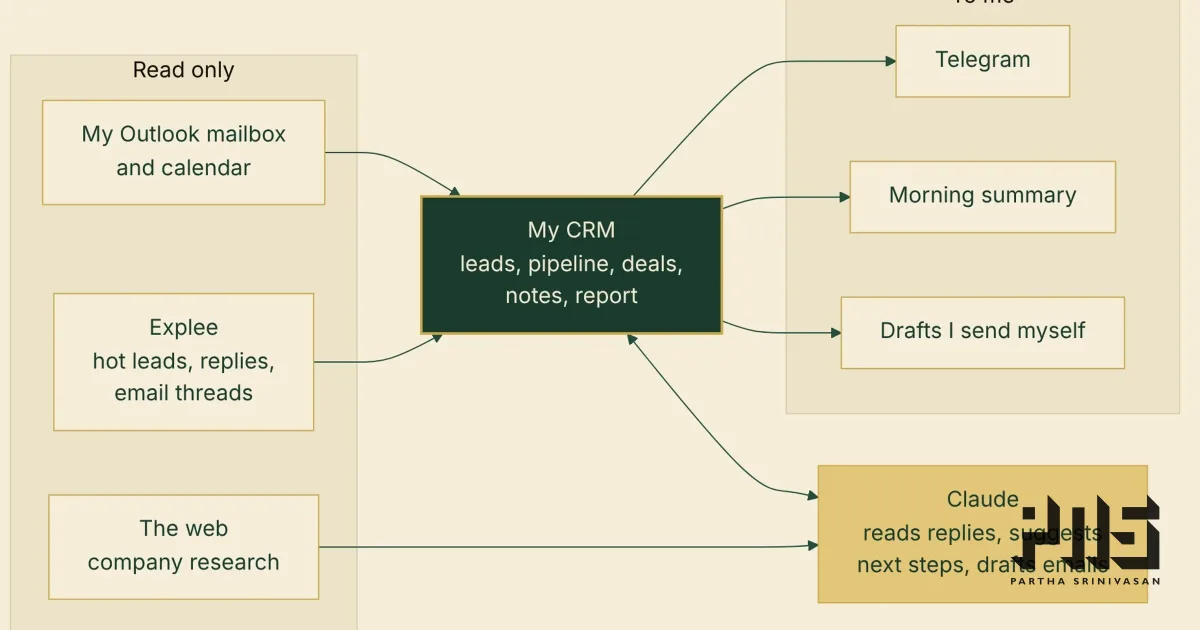
My CRM sends its updates to Telegram, because I check Telegram far more often than email. New hot leads, replies, drafts ready to send, and a summary every morning.
The first morning summary was a mess.
What arrived
Every reply in it came with my own email quoted underneath: "On Tue, 20 Oct 2026 at 08:25, Partha Srinivasan wrote: > Hi..." A one-word reply took three lines. Signatures came along too, stars and all.
The AI's notes on each reply, which were meant to be one line, were paragraphs. They talked about me in the third person, as "Partha".
The links were bare web addresses. And with nothing between the items, everything blended into one block.
At the end, it stopped halfway through a name. Telegram caps a message at 4,096 characters, and the CRM had split it there, mid-person.
The fix
Each preview now shows only what the person wrote. The quoted history goes, and so do "Hi Partha," and the sign-off. The "shoot!" that arrived with three lines of my email under it now reads, simply, "shoot!"
The AI's reason and next step are each held to a short line, addressed to me as "you". Every reply was read again with the shorter instructions.
The message itself has bold headings, each name is a link to that lead in the CRM, and there is a blank line between people. A long list stops at eight with a link to the rest, and if a message still runs long, it splits between two people, never inside one.
Then the better question
Once the summary was readable, I noticed how little the bot did. It talked, and I could only read. Every action still meant opening the CRM on a laptop.
So I asked Claude what a two-way bot could do, and we settled on menus first: each tap takes me one layer deeper.
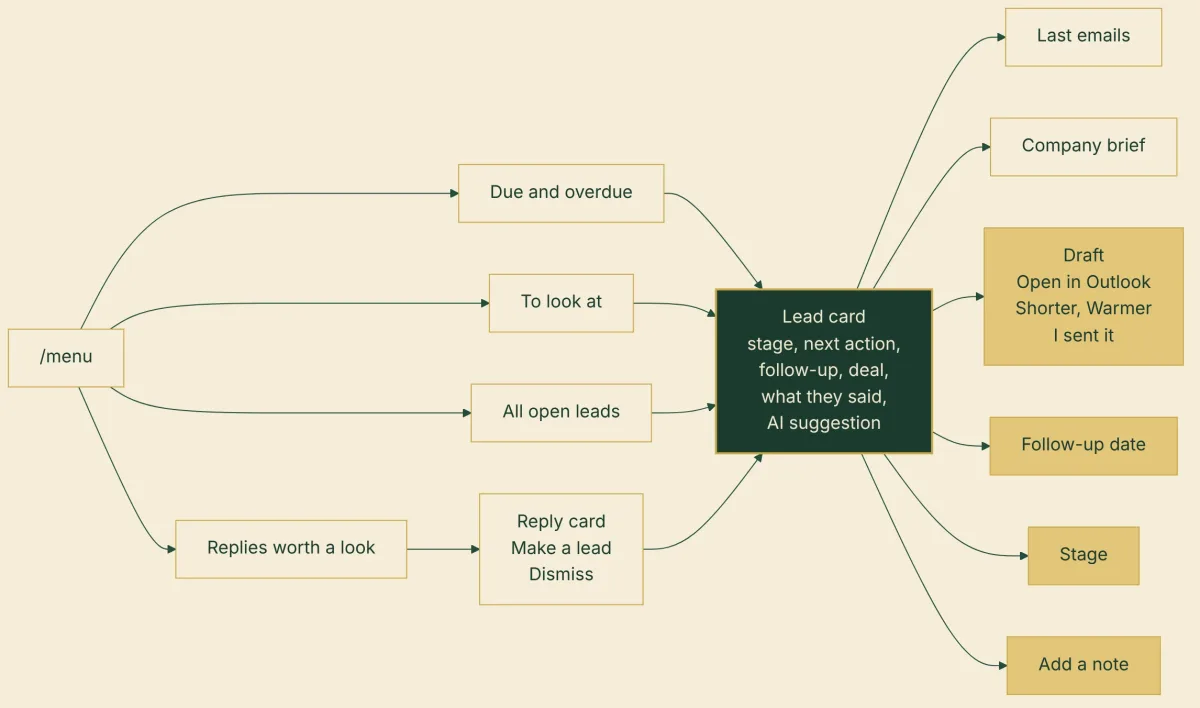
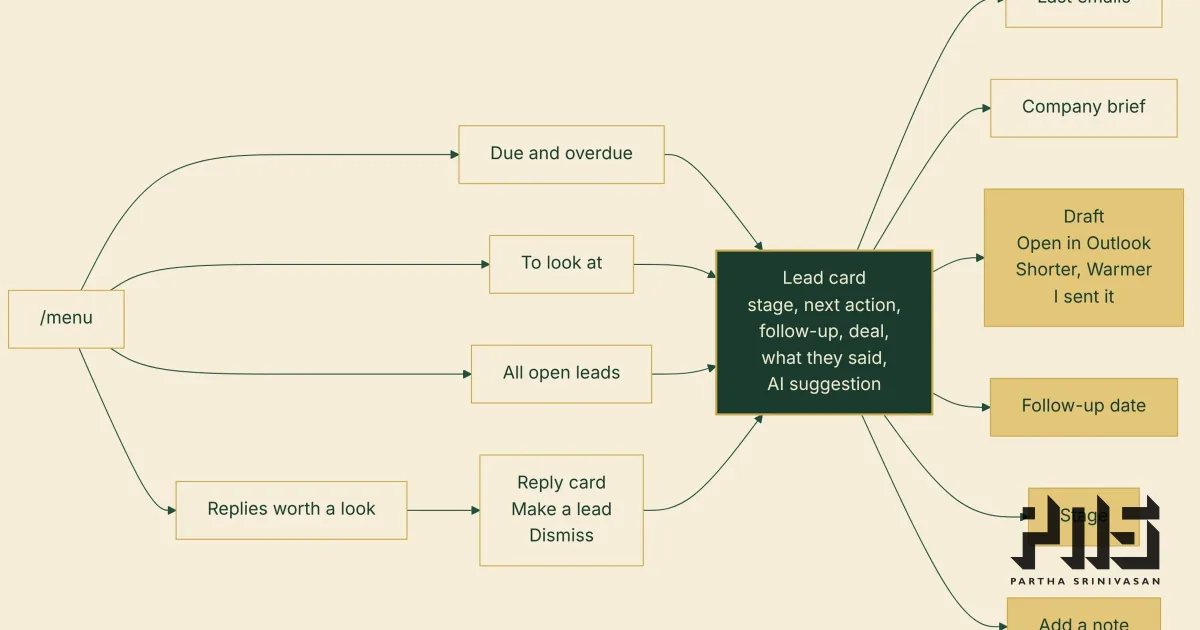
/menu gives four lists: follow-ups due and overdue, leads to look at, replies worth a look, and all open leads. Meetings today appear when there are any.
A list is one button per lead, eight to a page.
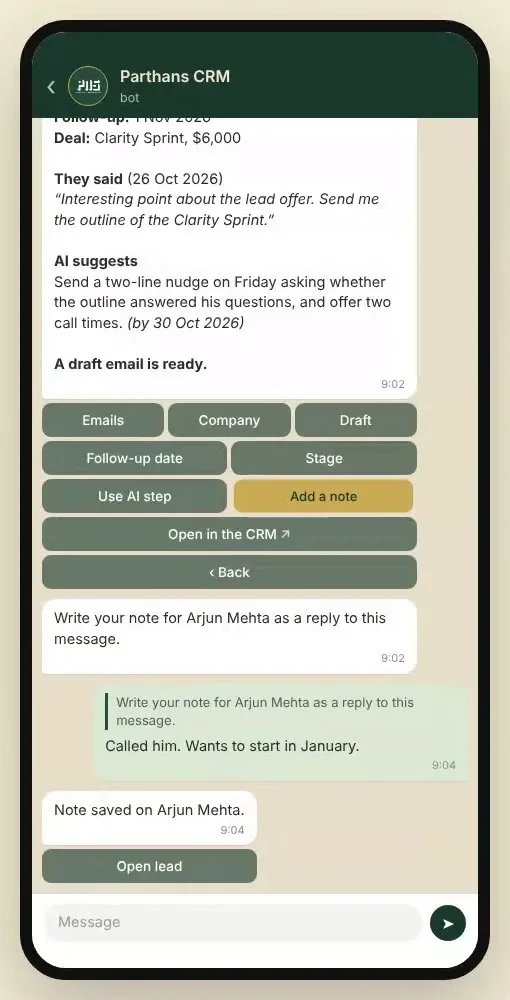
A lead's card shows the stage, my next action, the follow-up date, any open deal, what they last said in their own words, and what the AI suggests.
From the card, one more tap: the last few emails, the company brief, the draft, a new follow-up date, a new stage, the AI's step, or a note.
Each tap changes the same message, so the chat does not fill up with menus. The updates the CRM sends carry buttons too: a new lead comes with "Open lead" and "Follow up tomorrow", and a reply worth a look comes with "Make a lead" and "Dismiss".
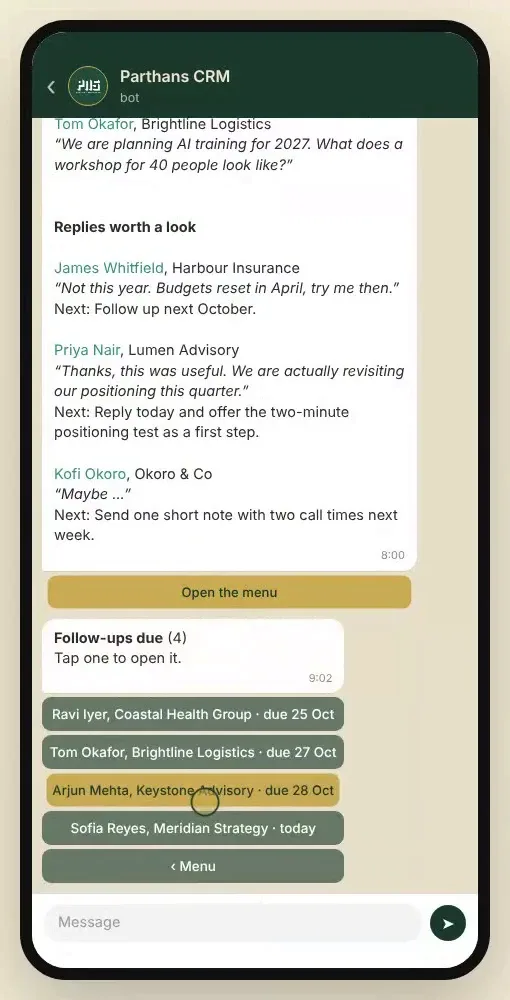
The draft, from my phone
When a follow-up falls due, the CRM writes the email in my voice. In the bot, the draft has its own view.
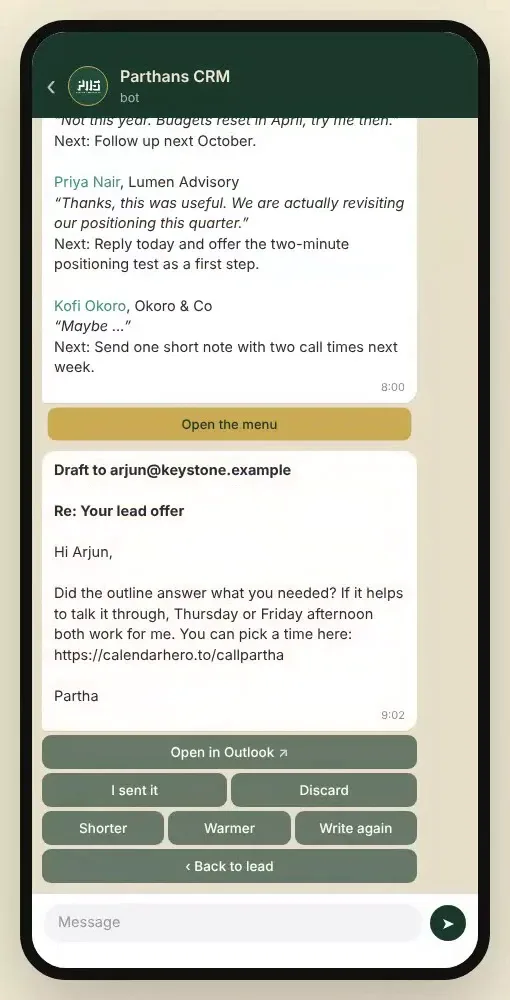
"Shorter" and "Warmer" send it back to be rewritten with that note. "Open in Outlook" opens the compose window with the address, subject and text filled in, so I can read it and send it from my phone. "I sent it" clears it.
A note, straight after the call
"Add a note" makes the bot ask for one. I reply to that message with whatever I want to remember, and it is saved on the lead. After a call, that is the whole job.
What the buttons cannot do
The CRM's rule from the start is that it reads everything and writes nothing outside itself. The bot keeps that rule.
The buttons change things inside the CRM: a date, a stage, a note, a draft. They never send an email, never write to my outreach tool, my mailbox or my calendar, and never delete anything. Deals and money stay on the web.
It answers only my own chat. I linked it once by sending the bot a one-time code, and anything from any other chat is ignored. Every tap is written to the CRM's activity log, marked as coming from Telegram.
There is one trade-off, and I made it on purpose. The web CRM asks for a password and a two-factor code. The bot asks for nothing, because it is already on my phone. Anyone holding my unlocked phone could tap these buttons. My phone is never left unlocked, so I accepted that.
How it hears me
The bot does not need a door into the server. The CRM asks Telegram every few seconds whether anything new has come in, and Telegram answers. Nothing reaches my server from outside, and the security in front of the CRM stays exactly as it was.
Next
Round two is typed commands (/today, /due, /lead and a name), questions in plain English ("who is waiting on a proposal?"), and a brief an hour before each call: the company, the last few emails and what is still unknown.
The screens in this post come from a test copy of the CRM filled with invented leads and companies. The phone views show the bot's real messages and buttons, generated from that test data.